Playtest Bot
A downloadable tool for Windows, macOS, and Linux
Playtest Bot plays your web game on its own and reports what breaks.
Drop your game's .html file onto it. For a few minutes it plays like a curious player on a phone-size screen: it presses buttons, taps and swipes the canvas, presses keys and fills in names. It favors things it hasn't tried yet, so it explores your game instead of mashing one button. Then it hands you a report with screenshots of the moments before each problem.
What it catches
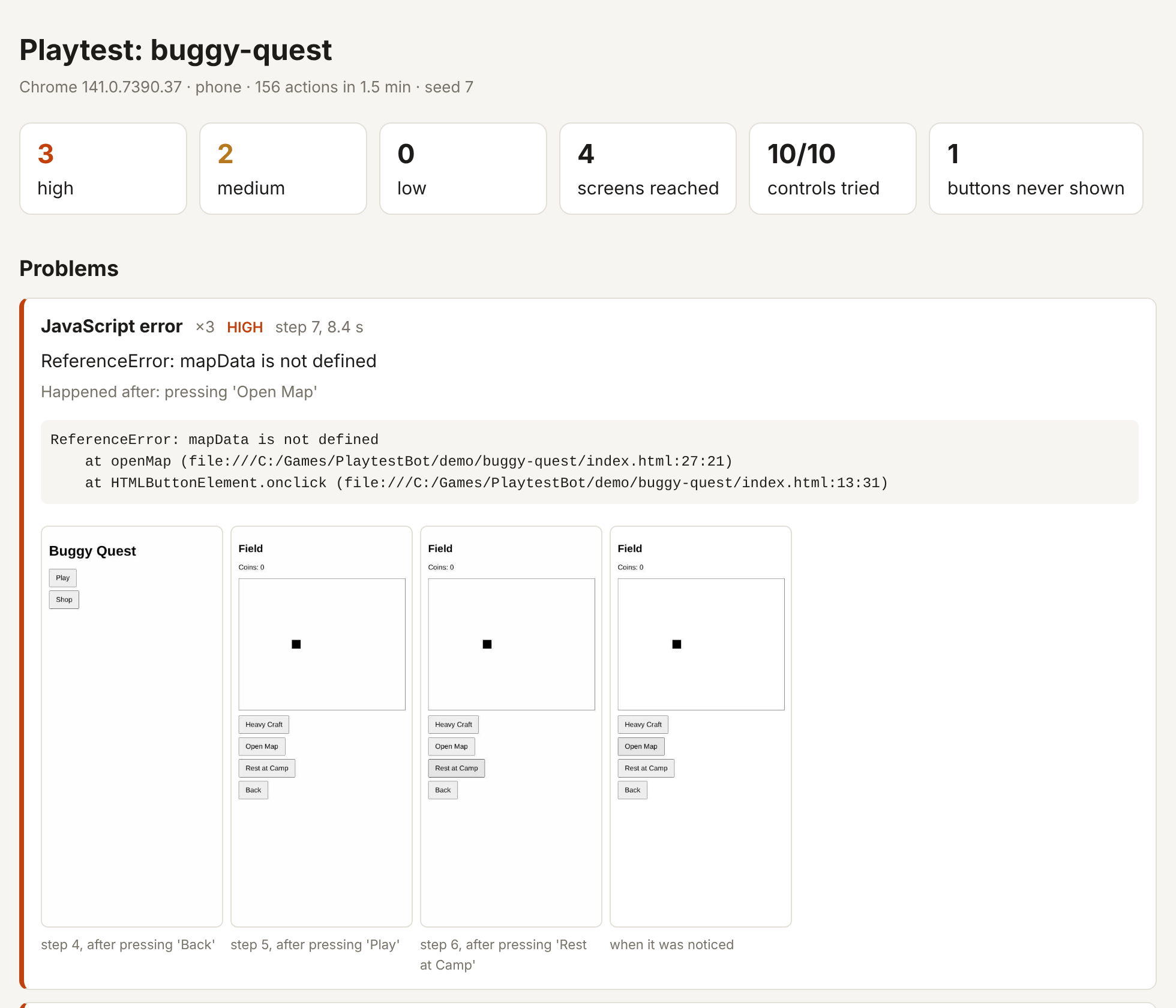
- JavaScript errors, with the stack trace and the exact button that caused them
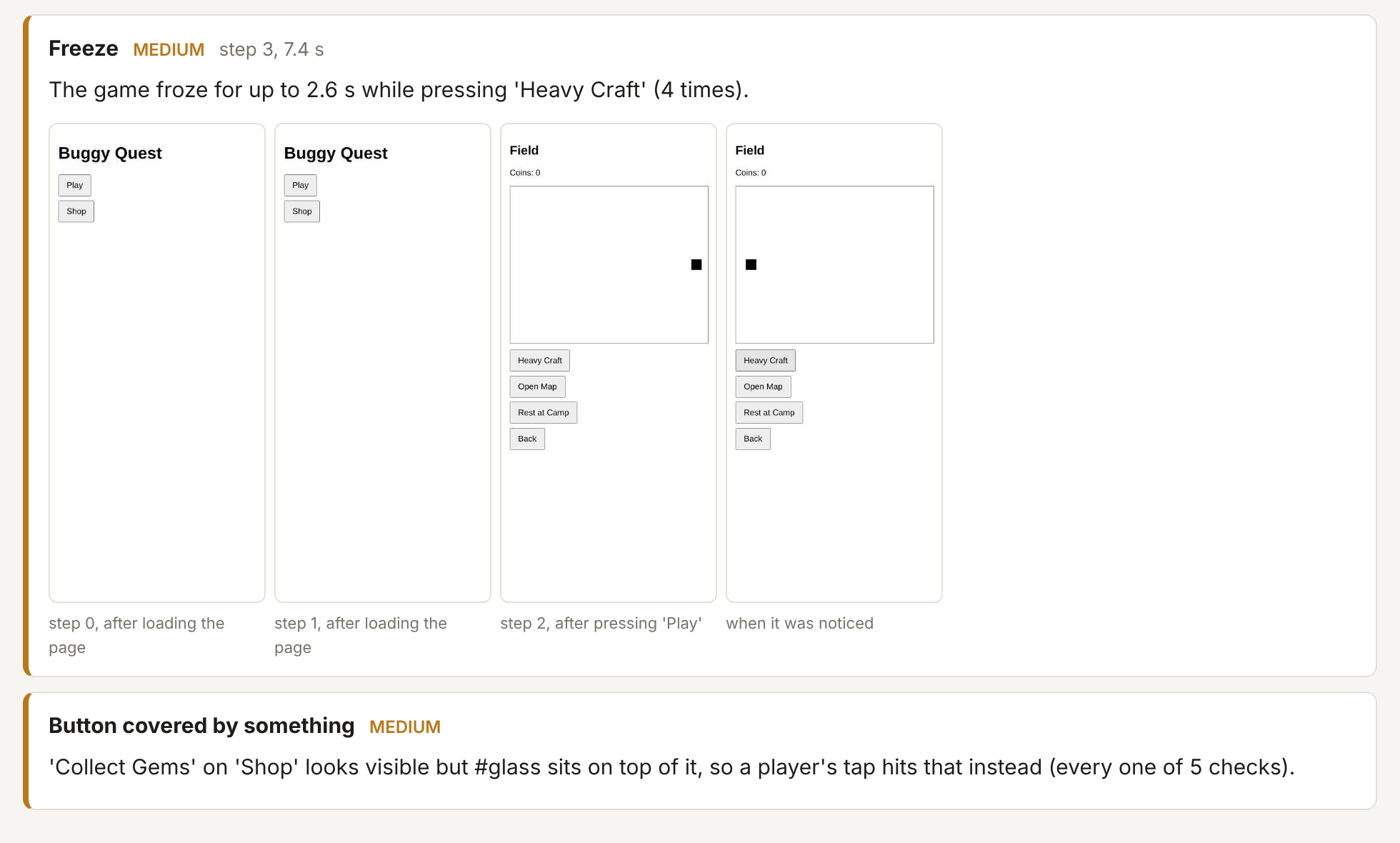
- Freezes: the game stopped responding for a second or more, and which action caused it
- Hangs: the game locked up for good. The bot closes it and still writes the report
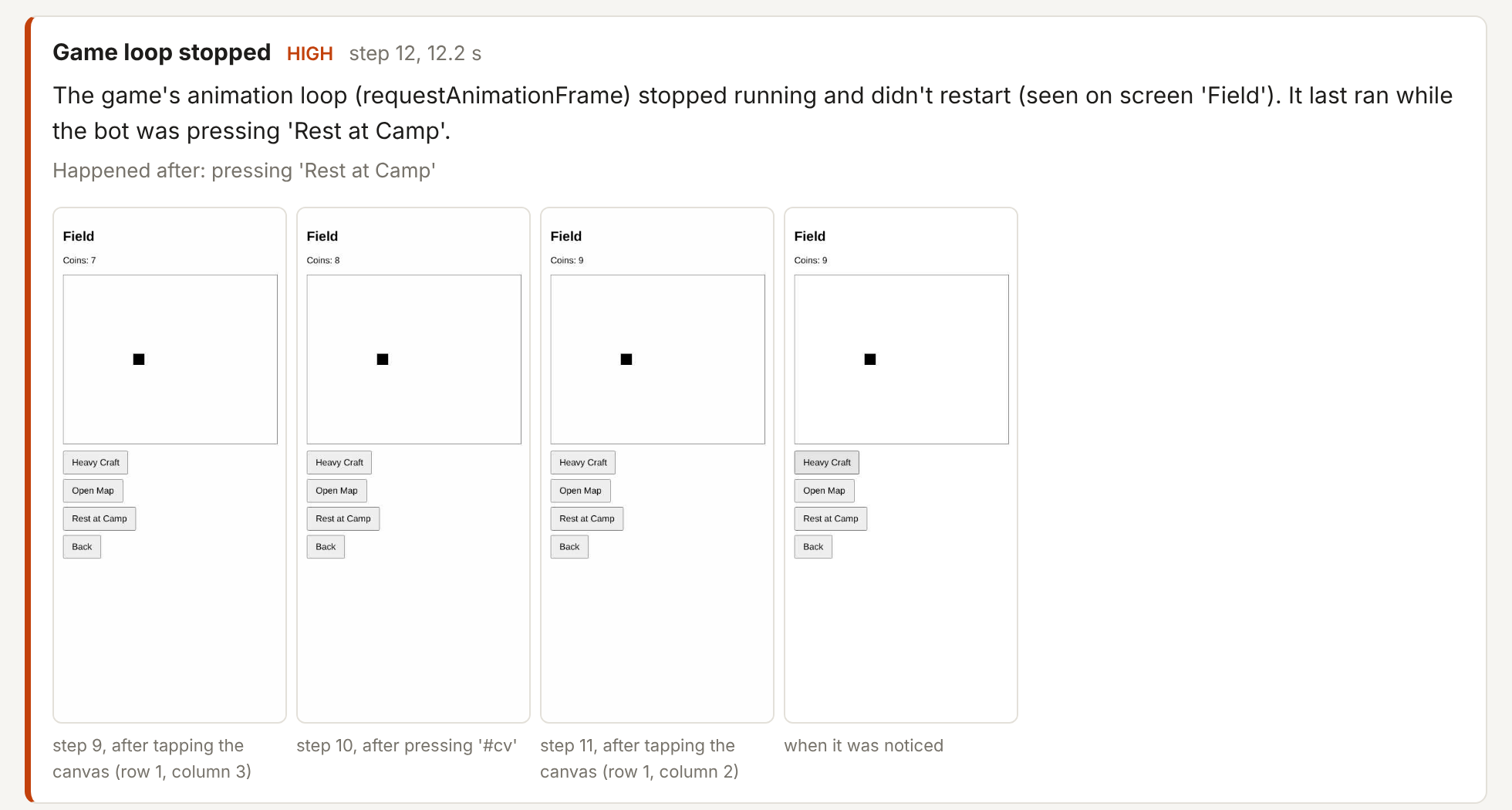
- A game loop that stopped running, and the action it last ran during
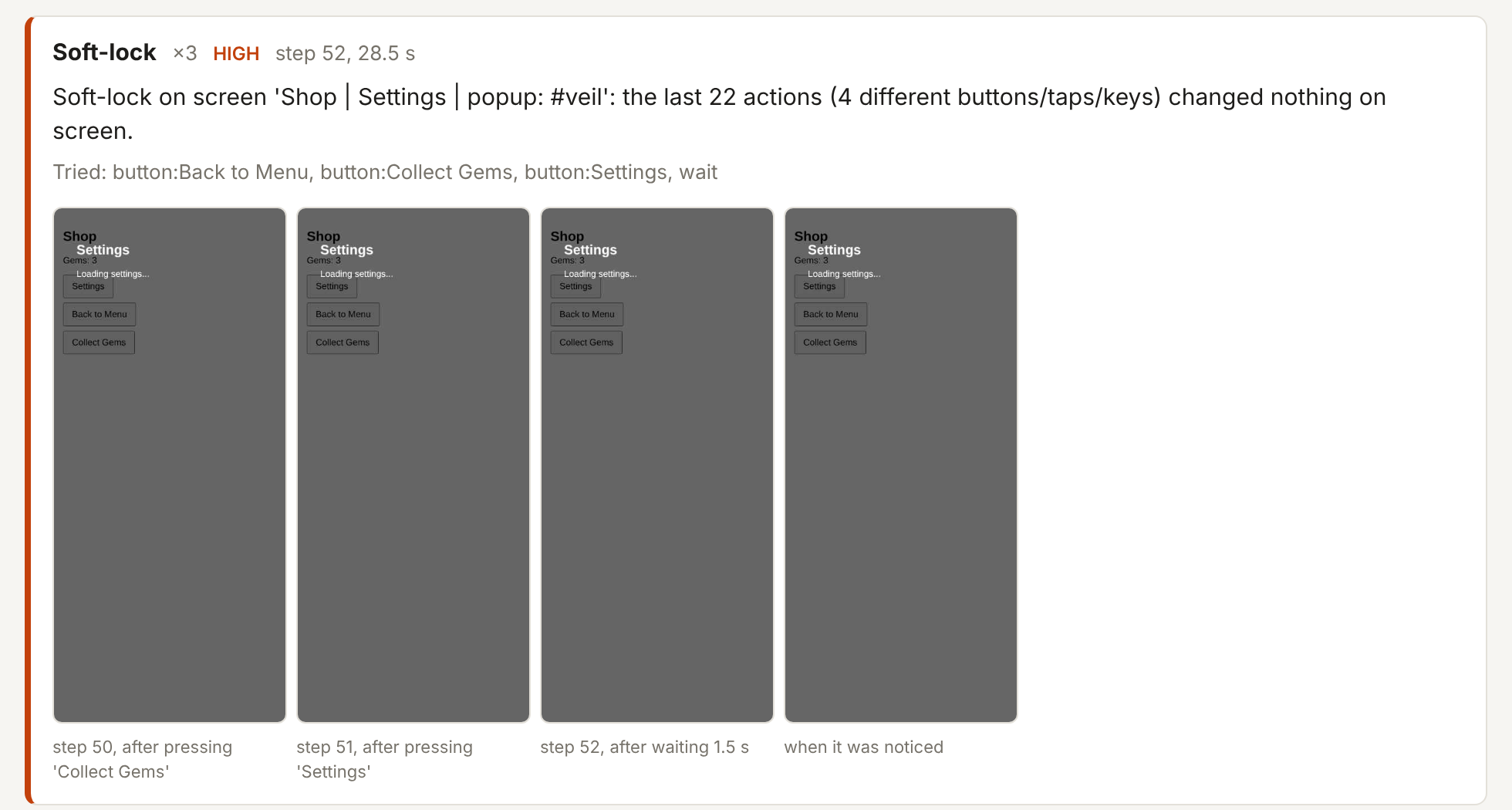
- Soft-locks: a screen where nothing responds any more, or there's nothing left to press
- Covered buttons: buttons that look pressable but have an invisible layer sitting on top of them
- Dead ends: screens where nothing leads anywhere else
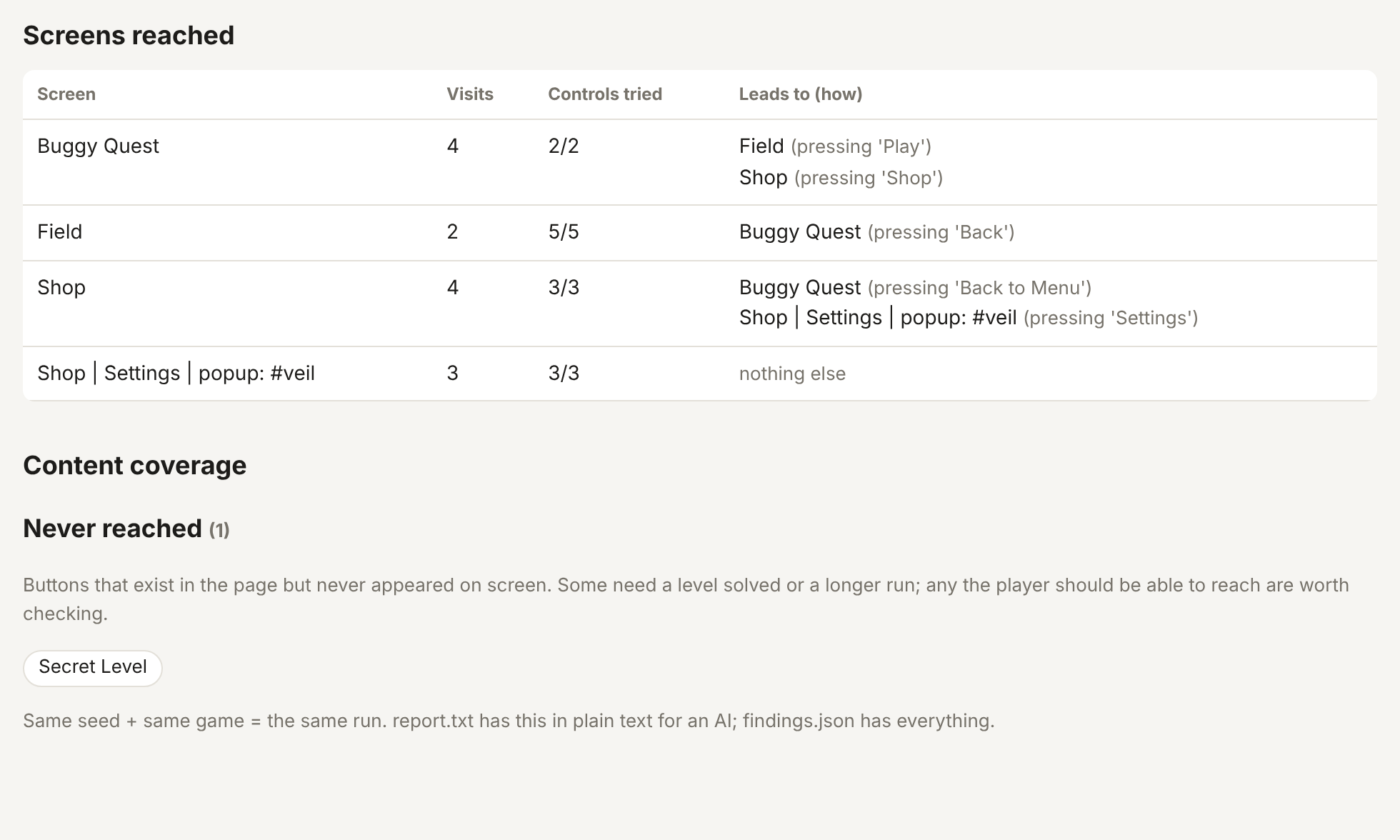
- Never reached: buttons in your game that never once appeared on screen
- Missing files: images, sounds and scripts that fail to load
It also maps every screen it reached and which button led where.
Made for solo devs
- No code to add to your game. Nothing to configure. Drag, drop, read the report.
- It never presses Reset, Delete, Buy or Quit style buttons, so it doesn't wipe its own progress.
- Each report comes with a short plain-text version made for AI assistants: paste it into ChatGPT or Claude and ask for fixes.
- Same seed + same game = the same run, so you can check that a fix really worked.
- Runs on your own computer. Your game never leaves it.
Try it on the demo
The download includes Buggy Quest, a tiny game with six bugs planted on purpose. Run the bot on it and watch it find every one.
Works with
Games made in HTML, CSS and JavaScript: menus and buttons in HTML, canvas games, or a mix (Phaser, PixiJS, hand-written). Engine web exports (Godot, Construct, GDevelop) also run, but they draw everything on a canvas, so there the bot can only tap, swipe and press keys.
Requirements
- Windows 10/11, macOS or Linux
- Python 3.10 or newer (free from python.org)
- One-click setup included. On Windows it uses the Edge browser that's already installed.
What it doesn't do
It finds crashes, freezes, soft-locks and dead ends. It won't tell you whether your game is fun or balanced, and a random player rarely solves puzzles, so content behind a hard level may show as "never reached".
License
Use it on all your own computers and test any games you make, including commercial ones. Please don't share or resell it. Studios: one copy per person who uses it.
Questions or a game it doesn't handle well? Leave a comment. Send bot.log from the report folder if something goes wrong.
Purchase
In order to download this tool you must purchase it at or above the minimum price of $9 USD. You will get access to the following files:
Leave a comment
Log in with itch.io to leave a comment.